SAP migration
Martenweave is an open-source data model registry for SAP migration, MDM, and data governance. This page describes how migration teams can use it to keep model knowledge stable, validated, and traceable while preparing and executing SAP data migrations.
What the problem looks like
SAP migrations—such as Customer, Vendor, and Business Partner—involve hundreds of fields, multiple tables, legacy sources, and shifting business rules. Knowledge often lives in spreadsheets, tickets, validation reports, and individual memory. That makes it hard to answer questions like:
- Which legacy columns map to which SAP fields?
- What does a field mean in a specific SAP context (company code, sales area, purchasing organization)?
- What breaks if we change a mapping rule or a value list?
- Which datasets are missing expected columns, values, or references?
How Martenweave helps
Martenweave stores model knowledge in canonical Markdown and YAML files. Each object has a stable ID, type, status, and references. Deterministic validators check IDs, types, references, and SAP context rules before anything is indexed.
For SAP migration work this means:
- Field-level mapping registry — link legacy source columns to SAP table/field endpoints with explicit
Mappingobjects. - Context-aware definitions — attach
EntityContextandAttributeUsagerecords so the same attribute can mean different things inKNVV,KNB1,KNVP,BUT000,LFA1,LFB1, orLFM1. - Validation before migration — catch broken references, missing required SAP context, and duplicate IDs before they become runtime errors.
- Dataset gap detection — profile CSV, XLSX, XML, and JSON datasets and compare them against the canonical model to find missing columns, unexpected values, and coverage gaps.
- Lineage and impact analysis — trace from a legacy column through mappings, attributes, and contexts to every downstream SAP field; run impact analysis before changing a rule.
- Human-approved AI proposals — ask AI to draft a
PatchProposalfrom a migration note or ticket; deterministic validators verify it, and a human approves the change.
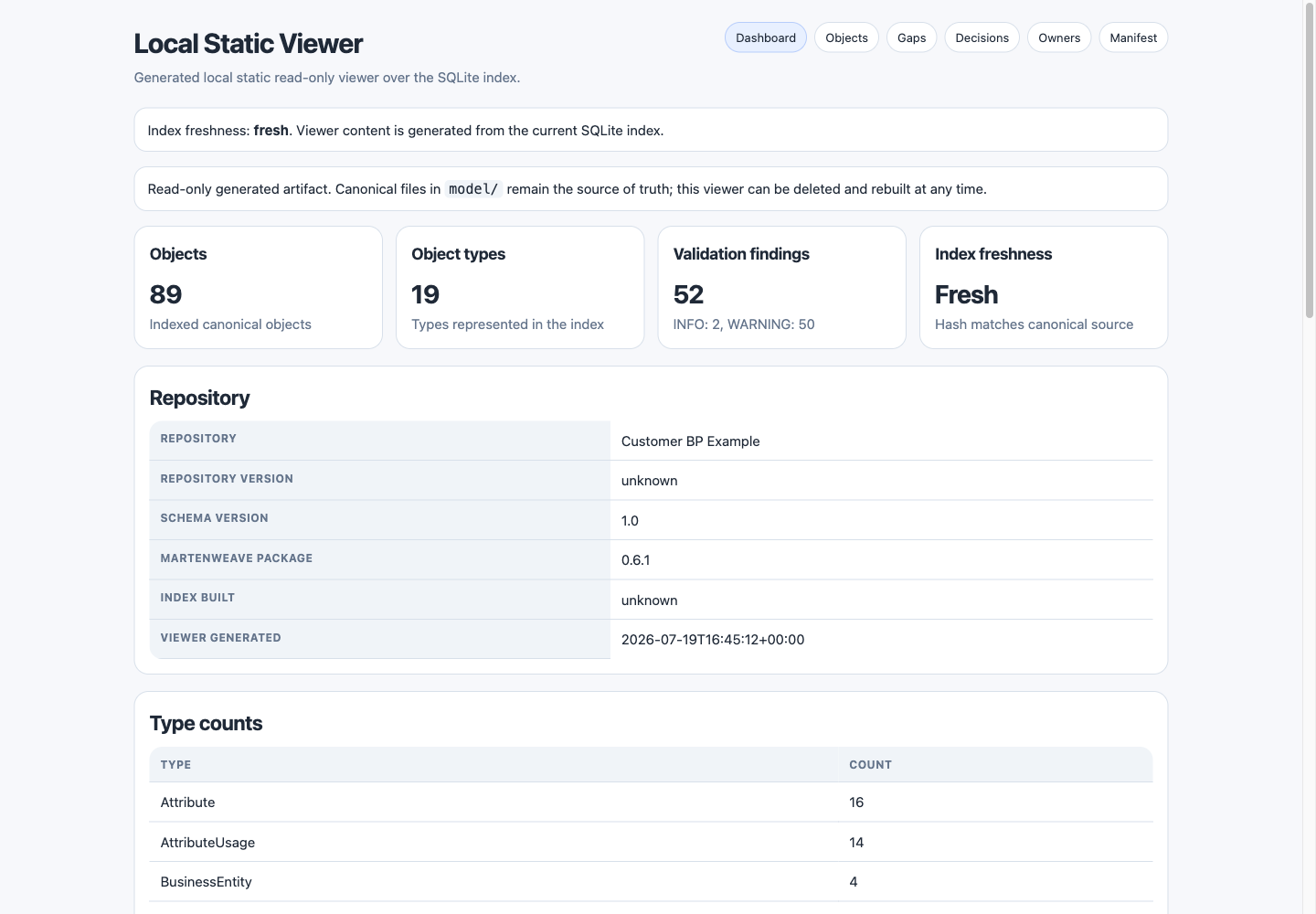
*This local static viewer is generated from the checked-in synthetic Customer Business Partner example after a synthetic dataset-gap proposal is added. It contains no client data and remains read-only; canonical files under model/ are authoritative.*
What it is not
Martenweave does not write data back to SAP. It does not replace an enterprise MDM platform, run workflows, or operate as a chatbot. The local generated viewer is read-only. SAP table and field names are used descriptively for migration context; Martenweave is not an SAP product, partner, or certified solution.
Example scope
A typical SAP Customer / Business Partner migration registry includes:
DOMAIN-CUSTOMER-BP— the master data domain.EntityContextobjects for sales area, company code, partner function, and central data.AttributeandAttributeUsageobjects for fields such as Customer Group, Tax Number, and Partner Function.FieldEndpointobjects for SAP targets likeFEP-S4-KNVV-KDGRP.Mappingobjects from legacy source columns to SAP field endpoints.ValueListandValueMappingrecords for codes that must be translated during migration.Issue,Decision, andChangeRequestobjects to capture gaps, agreements, and approved changes.
The examples/customer_bp_model directory in the core repository shows a full canonical slice.
Getting started
- Install
martenweave-corewithpip install martenweave-core. - Run
martenweave init ./my-modelto scaffold a repository. - Add your model objects as Markdown + YAML files under
model/. - Run
martenweave validateandmartenweave build-index --jsonl. - Profile a dataset with
martenweave profile-datasetand compare it to the model. - Review gaps, lineage, and impact reports before building migration routines.
See Quickstart and How it works for commands and the full workflow.